Voxel Heroes Controls and Traversal
PC and mobile input basics plus tips for swing, flight, and speed heroes.
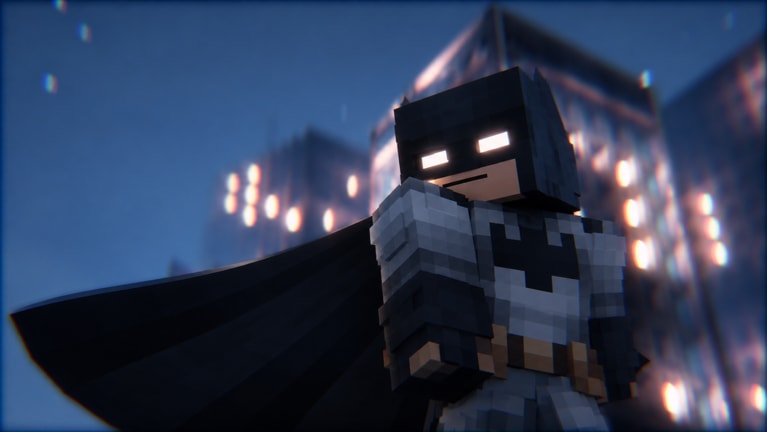
Voxel Heroes asks you to fight, traverse, and rescue across a large voxel city. Clean controls turn that fantasy into reliable play; muddy inputs waste FOCUS, drop citizen timers, and end Lockdown Tower runs. This guide covers how to think about PC and mobile control schemes, how traversal differs by hero fantasy, and how to practice until combat inputs feel automatic. Pair it with Getting Started, Combat and FOCUS, and All Heroes so bindings match the kit you actually pilot.
Roblox experiences inherit platform conventions: keyboard and mouse on PC, touch joysticks and on-screen buttons on mobile, with gamepad support depending on your device setup. Exact on-screen labels can shift with patches, so treat the categories below as a checklist to verify in your settings menu rather than a permanent key legend. After any major update, reopen controls and confirm FINISH, traversal, and interact still sit where your muscle memory expects—then skim the Updates Hub for notes that mention input or UI changes.
Core input categories
Every hero needs the same pillars:
- Move — walk, run, and steer camera independently when the platform allows.
- Attack / combo — primary strings that feed FOCUS.
- Ability buttons — hero-specific powers from your upgrade tree.
- Traversal — swing, flight thrust, sprint burst, grapple, or teleport-style tools depending on kit.
- FINISH — the dedicated spend for a charged FOCUS meter slow-motion takedown.
- Interact / objective — rescue prompts, mission objects, menus, and code redemption UI.
- Camera — look control that keeps enemies and slam tells readable.
If any pillar feels buried behind nested menus or awkward reach on mobile, fix that before grinding tower floors. Comfort beats novelty.
PC tips
On keyboard and mouse, keep combat keys in a tight cluster so combo buttons, abilities, and FINISH never require hunting across the board mid-fight. Camera on mouse should stay sensitive enough to track flying enemies yet stable enough that a flick does not lose a civilian marker. Rebind only after a short street-crime warm-up; wholesale rebinds right before a climb create unforced errors.
Traversal on PC shines when you can feather movement keys while adjusting camera. Flight heroes benefit from gentle vertical corrections instead of holding climb the entire fight. Swing heroes should practice releasing and re-hooking without stopping camera tracking on the next rooftop crime ping. Speedsters need strafing comfort more than raw forward sprint spam—circles around packs win more often than straight lines through them.
Use the Roblox escape menu to confirm fullscreen, resolution, and shift-lock style options if your playstyle depends on them. High frame pacing helps read slam tells; if your machine stutters in dense co-op servers (online sessions can host sizable parties), lower graphics before blaming your dodges.
Mobile tips
Touch controls demand layout discipline. Place virtual joysticks and action buttons so thumbs do not cover the center of the screen where telegraphs appear. If your device supports it, experiment with fixed versus dynamic joystick positions until rescue sprints feel predictable. FINISH must remain reachable without releasing movement entirely—losing strafing the moment you spend FOCUS is a common mobile death pattern.
Auto-rotation and camera assist can help early, but advanced climbs often need manual camera authority. Practice a habit: move first, aim second, attack third, so thumbs do not mash every button at once. When text UI feels small during code entry or upgrade menus, pause in a safe area; do not open deep menus mid-pack. Claim Codes at session start when your fingers are calm.
Battery and thermal throttling matter on long tower sessions. Lower settings if touch latency rises. Mounting the device securely beats handheld claw grips that slip during swing corrections.
Traversal by fantasy
Swing (Miles Morales): Think arcs, not straight lines. Enter fights from height, release into a short combo, then leave if the pack reforms. Practice hooking the next building before you need it so citizen routes stay fast.
Flight (Iron Man, Vision): Gain altitude to read the block, then descend for confirms. Endless hovering trains bad dodge timing—force yourself into ground exchanges during warm-ups.
Ground speed (Speedster): Speed is positioning. Curve around groups, cut angles to the civilian, and use bursts to re-enter after a miss instead of panic jumping.
Grapple / stealth approach (Vengeance): Open from above or around corners, spend a decisive string or FINISH, then create space. Grapple is an engage tool, not a substitute for learning melee reads.
Magic / ice / tentacle control (Doctor Strange, Mr. Cold, Doctor Octopus): Your traversal may be simpler; your button timing for zoning and wide melee matters more. Bind abilities where you can press them while strafing.
Shield melee (Captain America): Short movement cycles—step in, string, step out—beat chase instincts. Camera should favor the enemy’s weapon arm tells.
Ranged ground (Hawkeye): Strafe while charging attention on priority targets. Keep a traversal or dodge input free so melee rushers cannot pin you to a wall.
Secret kits like Thanos and Hulk change weight and pacing; after unlocking via How to Unlock Thanos or How to Unlock Hulk, spend a controls session relearning stop speed and FINISH reach before measuring tower height. Overview links sit on Secret Unlocks.
Combat input hygiene
FOCUS only grows when hits land. Inputs that whiff because camera drifted or because you pressed attack during a traversal lock stall the meter. Build a pre-fight checklist: camera on target, feet clear of ledge traps, FINISH finger ready but not itchy. In street crimes, interact prompts for civilians should stay muscle-memory adjacent so you do not open the wrong menu mid-rescue.
Boss and tower telegraphs punish look-away moments. If your FINISH key sits on an awkward pinky stretch, move it. If mobile FINISH shares a crowded corner with three abilities, simplify the visible set during hard content. Read Combat and FOCUS for spend timing once the buttons themselves feel natural.
Practice drills (ten minutes)
- Camera only: Run across two city blocks tracking a distant marker without attacking.
- Traversal only: Reach three rooftops with your main’s movement tool; no combat.
- Combo only: Fight one street pack focused on hit confirms, ignoring objectives.
- FINISH only: Build meter and spend on a named priority target twice in a row.
- Rescue route: Clear one citizen event emphasizing pathing over damage flex.
Rotate drills after Upgrade Trees purchases that add new abilities—fresh nodes deserve fresh muscle memory. New players should complete Getting Started before using drills as a scoreboard.
Accessibility and comfort
Take breaks during long climbs. Hand strain creates late-floor mistakes that look like “bad RNG.” Increase UI scale when menus feel cramped. If color or contrast makes tells hard to see, adjust device display settings and avoid fighting in visually noisy districts until comfortable. Co-op helps when a teammate covers your weak axis, but do not outsource learning movement entirely.
Session start control checklist
- Confirm platform bindings after any patch.
- Claim dailies and codes with menus, not mid-fight.
- Warm up traversal before Lockdown Tower—see Lockdown Tower.
- Pick a hero whose movement fantasy matches your current hands and mood (Players Hub, Tier List).
- End the session if inputs feel sloppy; tired thumbs do not set personal bests.
Controls are the quiet half of Voxel Heroes mastery. Heroes, upgrades, and FOCUS guides matter, but none of them fire if the wrong thumb hits the wrong button. Stabilize your layout, practice traversal on purpose, and let every rescue route feel like a line you chose—not a scramble you survived.
Frequently Asked Questions
Quick answers for Voxel Heroes codes, heroes, and progression.
Are Voxel Heroes controls the same on PC and mobile?
The actions are the same—move, attack, abilities, traversal, FINISH, interact—but the layout differs. PC uses keyboard and mouse clusters; mobile needs careful thumb placement so telegraphs stay visible.
Where is the FINISH input?
FINISH is the control that spends a charged FOCUS meter for a slow-motion takedown. Check your in-game controls or settings after updates to confirm the current binding on your platform.
How do I get better at swinging or flying?
Run short traversal-only drills across rooftops or air lanes before combat sessions. Practice entering fights from height, then leaving when packs reform, instead of only training in straight-line travel.
Should I rebind keys before Lockdown Tower?
Only if a binding clearly fails in street warm-ups. Avoid wholesale rebinds immediately before a climb; practice the new layout in free roam first.
Do secret heroes need new control practice?
Yes. Thanos and Hulk change weight and pacing. After unlocking them, spend a session relearning stop speed, camera distance, and FINISH timing before serious tower attempts.