How to Redeem Voxel Heroes Codes
Exact UI path, reward checks, and fixes when a code fails.
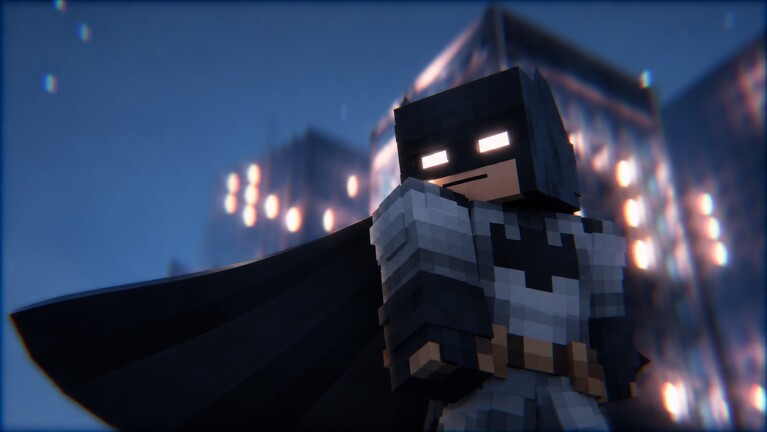
Redeeming codes in Voxel Heroes takes less than a minute once you know where the Codes tab lives. This guide walks through the full flow on desktop and mobile, explains what a successful redeem looks like, and covers the errors players hit most often. For the live list of working strings, keep the Codes Hub open in another tab so you can copy from a verified table instead of a random comment.
Before you start
- Be logged into the Roblox account that should receive the reward.
- Join the official Voxel Heroes place and wait until the open city finishes loading.
- Have the code ready to paste. Avoid typing from memory when strings look similar.
- Know that rewards on the current active list are cosmetic skins, not full hero unlocks.
If you are brand new, skim getting started after redeeming so the skins land on an account that already understands street crimes, daily rewards, and scarce cores.
Step-by-step redeem
- Launch Voxel Heroes from Roblox and enter a server (max 20 players).
- Look at the top-left of the HUD for the Codes tab and open it.
- Select the field labeled TYPE CODE HERE.
- Paste or carefully type the code. Do not add spaces before or after the string.
- Press Redeem and wait for the confirmation toast.
- Close the panel and check your skins or inventory UI to confirm the cosmetic appears.
Repeat for each active code. You only need to redeem a given string once per account. Trying the same working code again usually returns an already-redeemed style message—that is expected, not a bug.
Desktop tips
On keyboard and mouse, paste from the Codes Hub table whenever possible. Caps lock and extra spaces are the top failure causes. If the Codes panel sits under another menu, close story or shop overlays first so the top-left tab stays clickable. After a successful redeem, stay in the server for a few seconds so the reward sync finishes before you hop servers.
Mobile tips
On touch devices, open the Codes tab, tap TYPE CODE HERE, then paste from your clipboard if your keyboard supports it. Watch for autocorrect changing VOXEL1K or VOXELBURGER. Landscape mode often makes the top-left controls easier to hit during busy street fights. If the on-screen keyboard covers Redeem, dismiss it briefly, then tap Redeem once the button is visible.
What you should receive
As of November 2026 the verified rewards are:
VOXEL1K→ Solar Forge SkinVOXELBURGER→ Arena Hulk Skin
Skins do not automatically make a hero S-tier. Use the best heroes rankings when deciding which upgrade trees deserve your limited cores. A free Arena Hulk Skin is still useful even before you finish the Hulk unlock route—just remember the skin and the playable Hulk unlock are separate goals.
Troubleshooting invalid codes
Invalid code usually means a typo, a dead string, or a code that never existed. Compare character by character with the hub table. Strings such as UPDATE and WAR are known non-working examples—stop retrying them. If a brand-new social code fails for everyone, wait for confirmation before assuming your UI is broken.
Expired code means Visually Synced retired the string. Remove it from your personal list and check the hub for replacements after the next update.
Already redeemed means this account already claimed that reward. Switch accounts only if you intentionally want the cosmetic on a second profile. Do not reset progress just to reclaim a skin.
No Codes tab visible can happen if the client is still loading, you are stuck in a cutscene, or a UI scale setting pushes the tab off-screen. Rejoin once, then look top-left again. If the tab never appears after a patch, wait for a client update rather than installing random “code fixer” executors.
Codes versus progression
Redeeming is a side activity. Your power still comes from suiting up, swinging or flying across the city, stopping street crimes, rescuing citizens, clearing story missions, pushing Lockdown Tower, and practicing FOCUS combos into FINISH slow-motion takedowns. Each hero has a separate upgrade tree and a level cap of 50, with a Legend badge for taking one hero all the way. Cores are scarce—do not spend them chasing every cosmetic-linked hero at once.
After codes are done, prioritize:
- Daily rewards, challenges, feats, titles, and trophies.
- One clear main from the launch roster while you learn the loop.
- Secret goals such as Thanos only when your account can afford the time.
Safety checklist
Never enter codes on fake websites that ask you to log in. Never trade your password for “private” strings. Never download a “code redeemer.exe” from a random link. Official redemption happens only inside Voxel Heroes. Script hubs that auto-farm may also include code features, but any executor carries ban and account risk—read the scripts hub before you enable one.
After a successful redeem
Equip the new skin if you like it, then return to patrol. Use the cosmetic as a reminder to finish dailies rather than as a reason to idle in the menu. When weekly heroes drop, revisit the Codes Hub and this page together: new strings often arrive with the same update that adds a roster member, and the redeem UI path stays the same even when rewards change.
If you maintain an alt account for testing builds, redeem on each account separately. Rewards do not transfer between Roblox users. Family-shared devices should confirm the correct profile is signed in before pressing Redeem.
Related pages
- Codes Hub — active and dead code tables
- Getting started — first-day priorities after rewards
- Tier List Hub — meta context for skin-linked heroes
- Guides Hub — unlocks and deeper systems
Frequently Asked Questions
Quick answers for Voxel Heroes codes, heroes, and progression.
Where is the Codes tab in Voxel Heroes?
It sits in the top-left of the in-game HUD. Open it, use TYPE CODE HERE, then press Redeem.
Can I redeem the same code twice?
No. Each code works once per Roblox account. A second attempt usually returns an already-redeemed message.
Do I need to restart after redeeming?
Usually not. Wait for the reward toast, then check your skins. Rejoin only if the cosmetic never appears.
Why do UPDATE and WAR fail?
Those strings are not working. Use only codes listed as active on the Codes Hub.
Are code redeem sites safe?
No. Redeem only inside the official game. External generators that ask for login are scams.